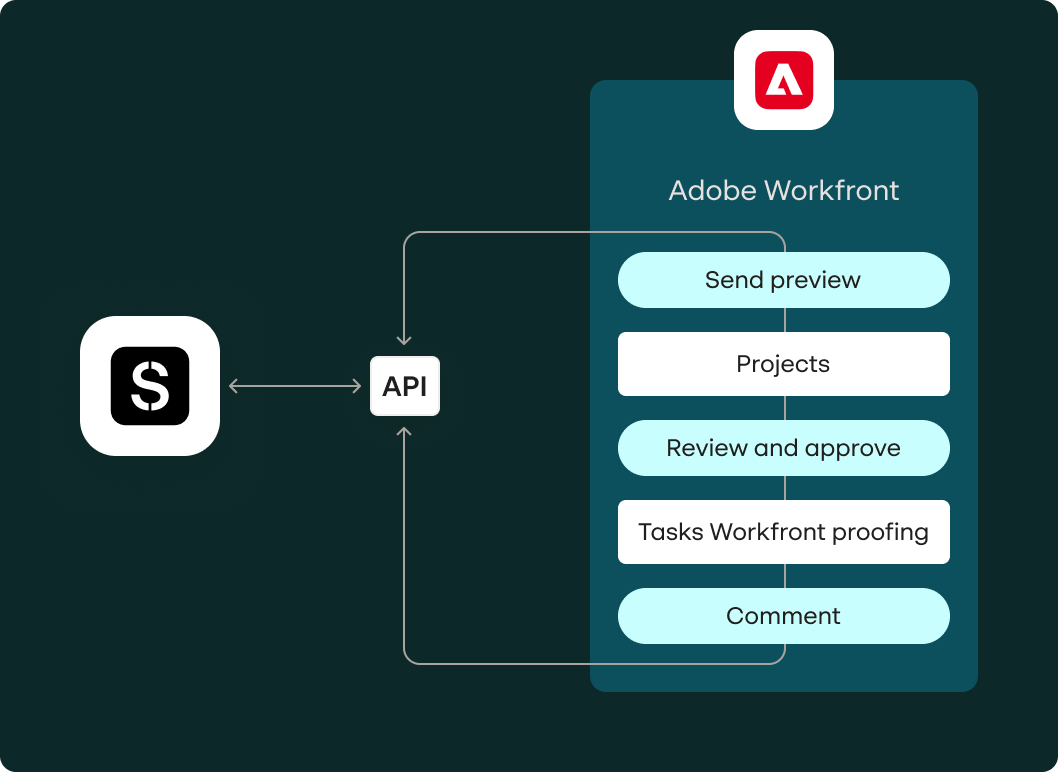

How the Stensul and Workfront integration works
Stensul’s Workfront integration keeps email creation and review in sync — without requiring your team to leave their tools. Build in Stensul, send proofs to Workfront for review, and push approved emails directly to your ESP or MAP. No copy-paste. No lost context.
1. Build in Stensul
Your team creates and edits the email in Stensul’s no-code, collaborative environment. Templates, brand guardrails, and pre-approved components ensure compliance and speed.
2. Send for review in Workfront
When ready, send the email as an HTML or PDF proof to the relevant Workfront project or task. Comments and preview links post automatically.
3. Review, comment, and approve
Stakeholders review directly in Workfront, add comments, and request revisions — all without jumping between tools.
4. Push to your ESP or MAP
Once approved, the email is deployed from Stensul, eliminating copy-paste errors.
Teams using Workfront Fusion can also automate email creation from Workfront task status changes using Stensul’s API. This requires a Workfront Fusion license and developer configuration — contact us to learn more.