

Gmail clipping: why your email gets cut off at 102KB and how to stop it
Gmail clips any email whose HTML is larger than about 102KB and hides the rest behind a "View entire message" link. Images do not count, because they load from a server. The code does. To stop clipping, keep the HTML your email platform sends under about 80KB, which leaves room for tracking code added at send time.
Key points
- The limit applies to the HTML as sent, not to the file you exported from your builder.
- Clipping hides whatever is at the bottom: usually the unsubscribe link, legal disclosures and the footer.
- The usual causes are nested tables, repeated inline CSS, long tracked links and long emails.
- The fix belongs in your templates and your builder’s output, not in each marketer trimming copy.
What is Gmail clipping?
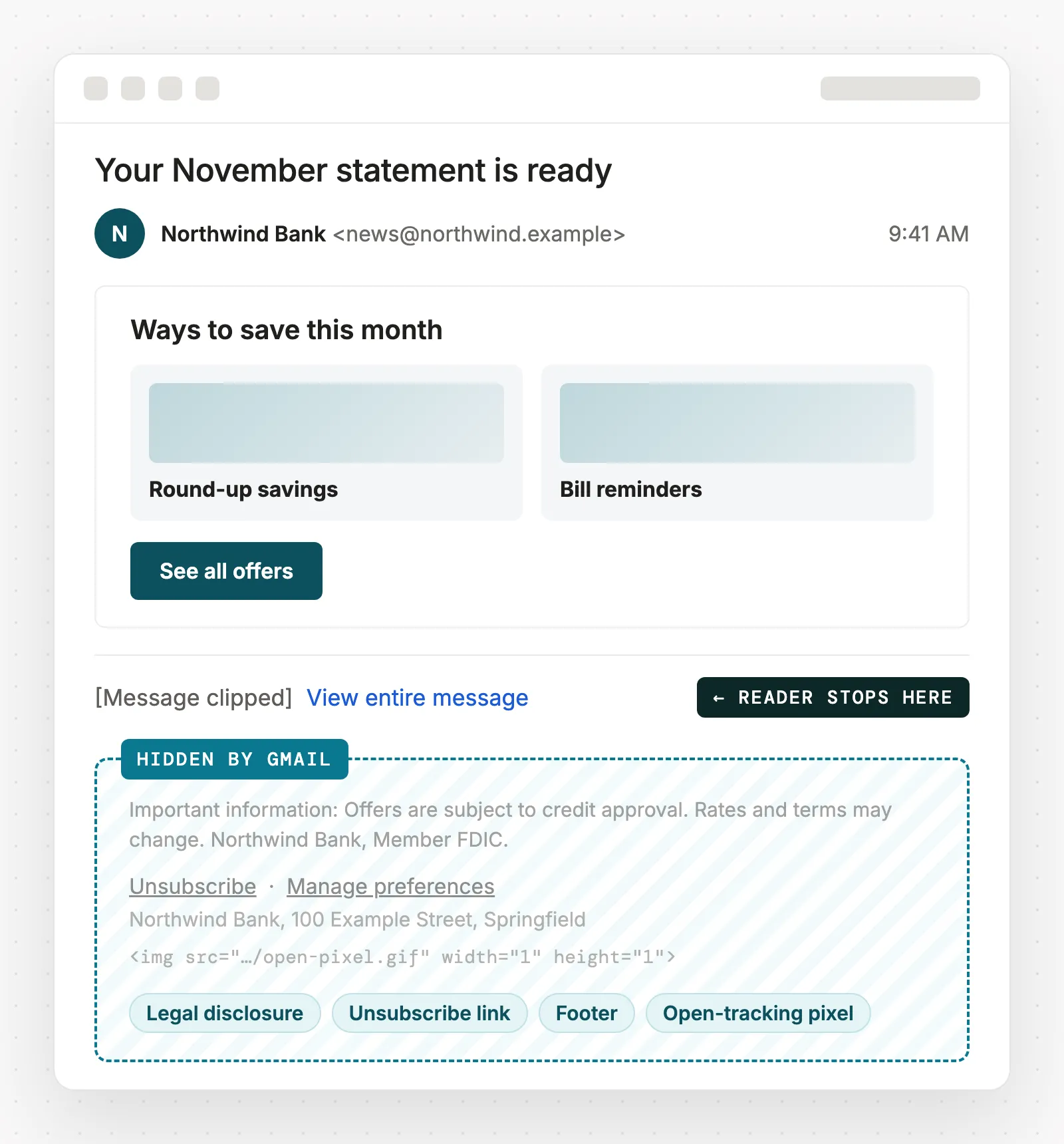
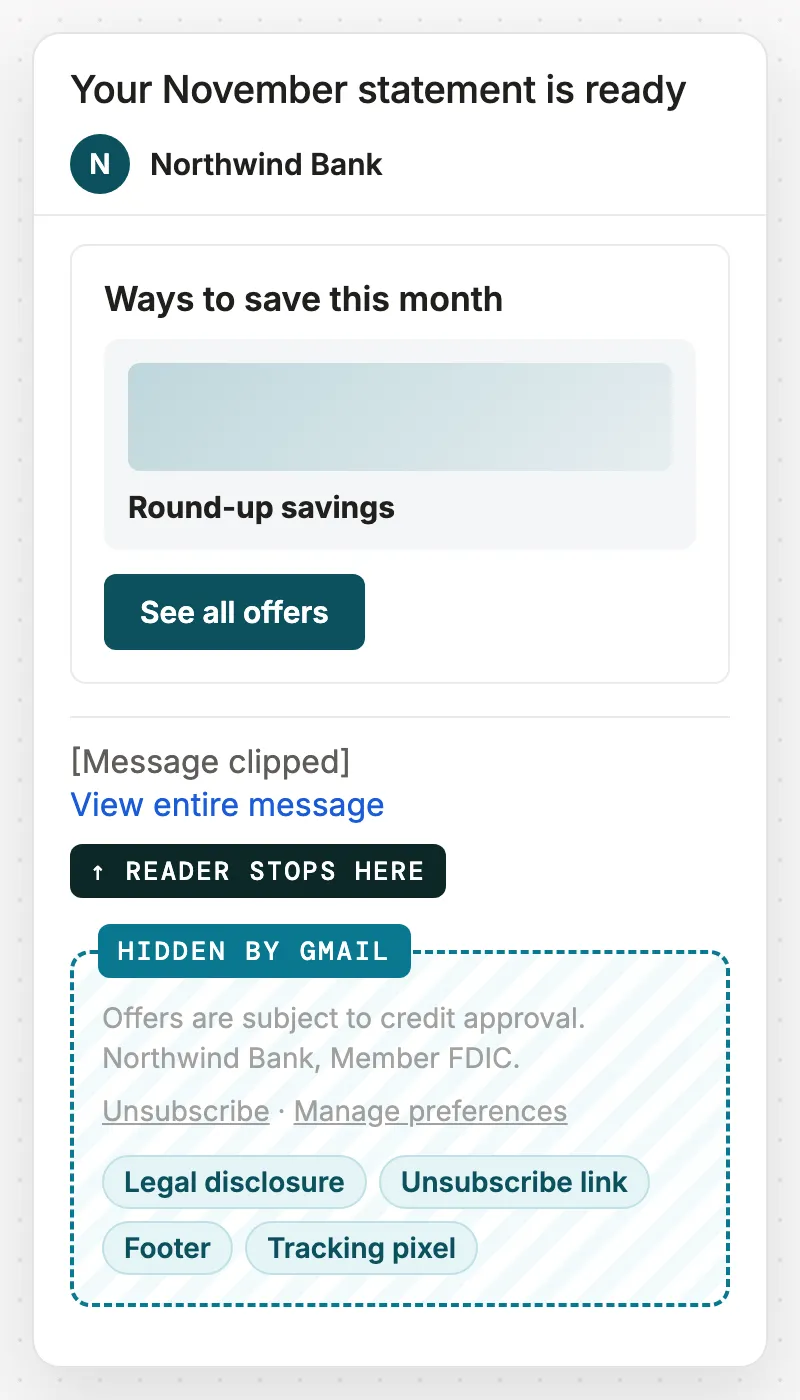
Gmail clipping is Gmail cutting off the end of a large email and replacing it with a “[Message clipped] View entire message” link. Everything after the cut is hidden unless the reader clicks through. It happens on the web and in the mobile apps, and it applies to every sender.
What counts toward the 102KB limit?
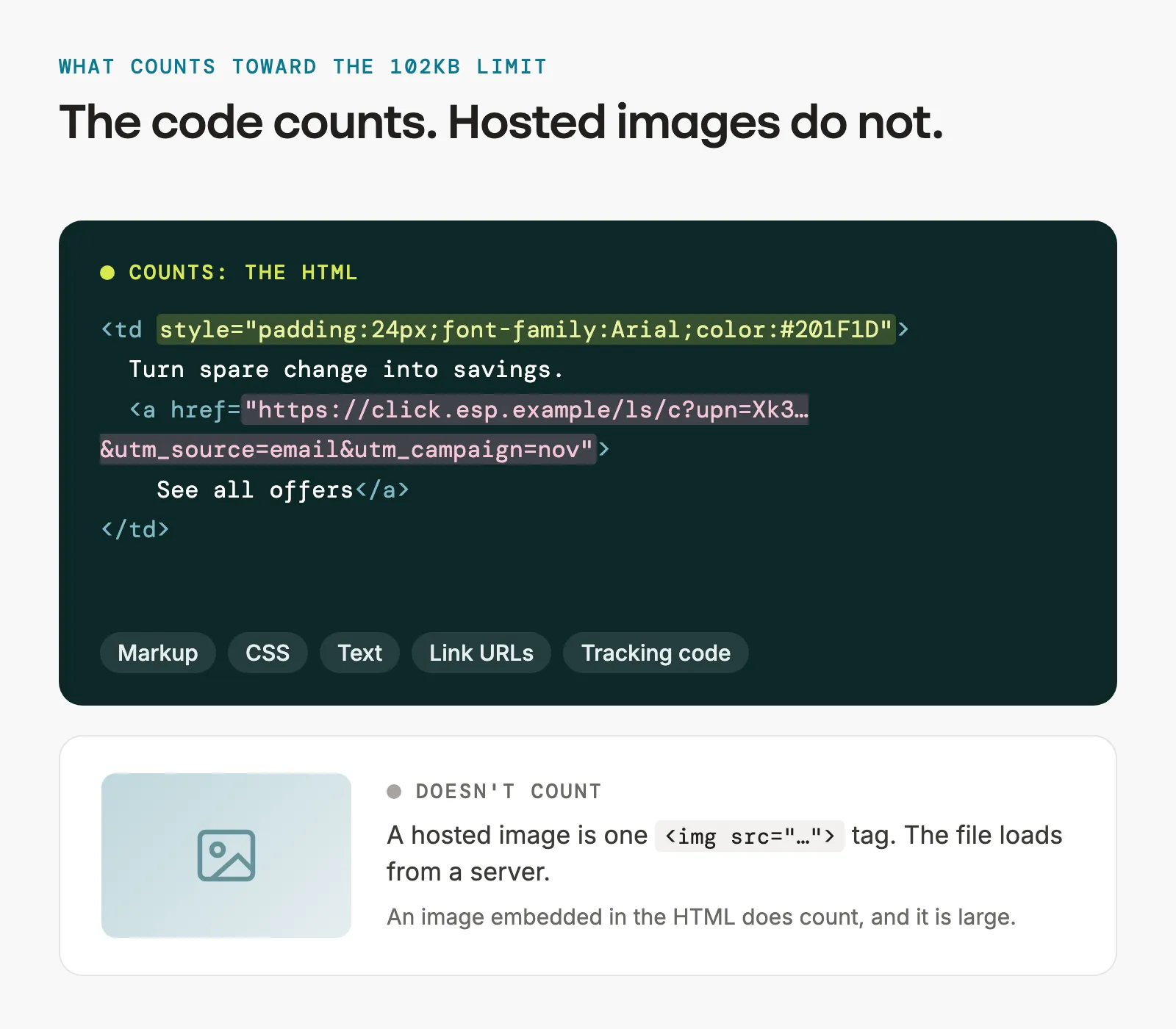
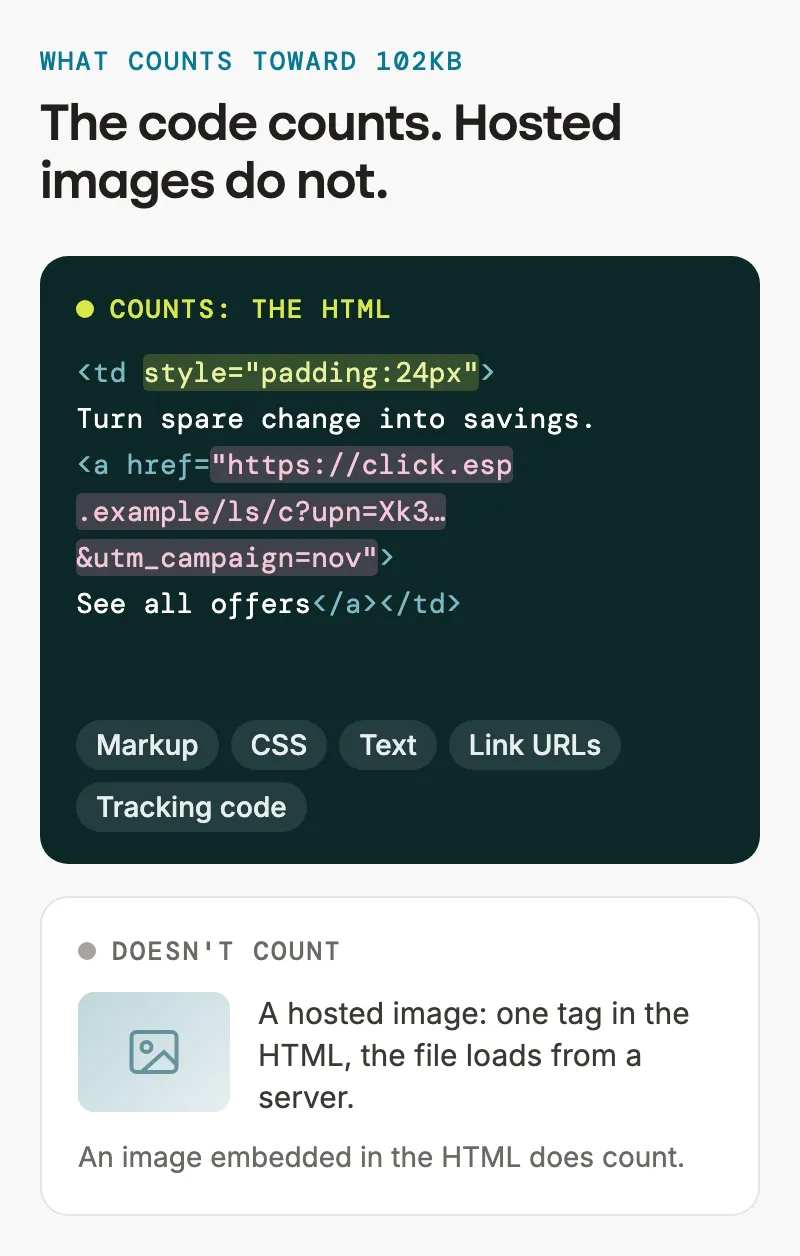
Only the HTML: markup, inline and embedded CSS, the text itself, link URLs and any tracking code your email platform adds. Hosted images do not count. Google does not publish the number, and email developers have found the cutoff is not perfectly consistent, which is why most aim for 80KB instead of 100KB.
Why does Gmail clipping matter?
Because the end of an email is where the required parts live. If the unsubscribe link is clipped, subscribers who want out cannot find it and are more likely to mark the message as spam. For banks, insurers and pharma companies, the clipped section is often the legal disclosure that had to be in the email. If your platform places its open-tracking pixel at the end of the HTML, clipped emails also go uncounted as opens. And any offer or call to action below the cut is not seen.
Email on Acid analyzed more than 6,000 emails and found 5.5% were over 102KB.
Why does my email clip when it is sent, but not in the test?
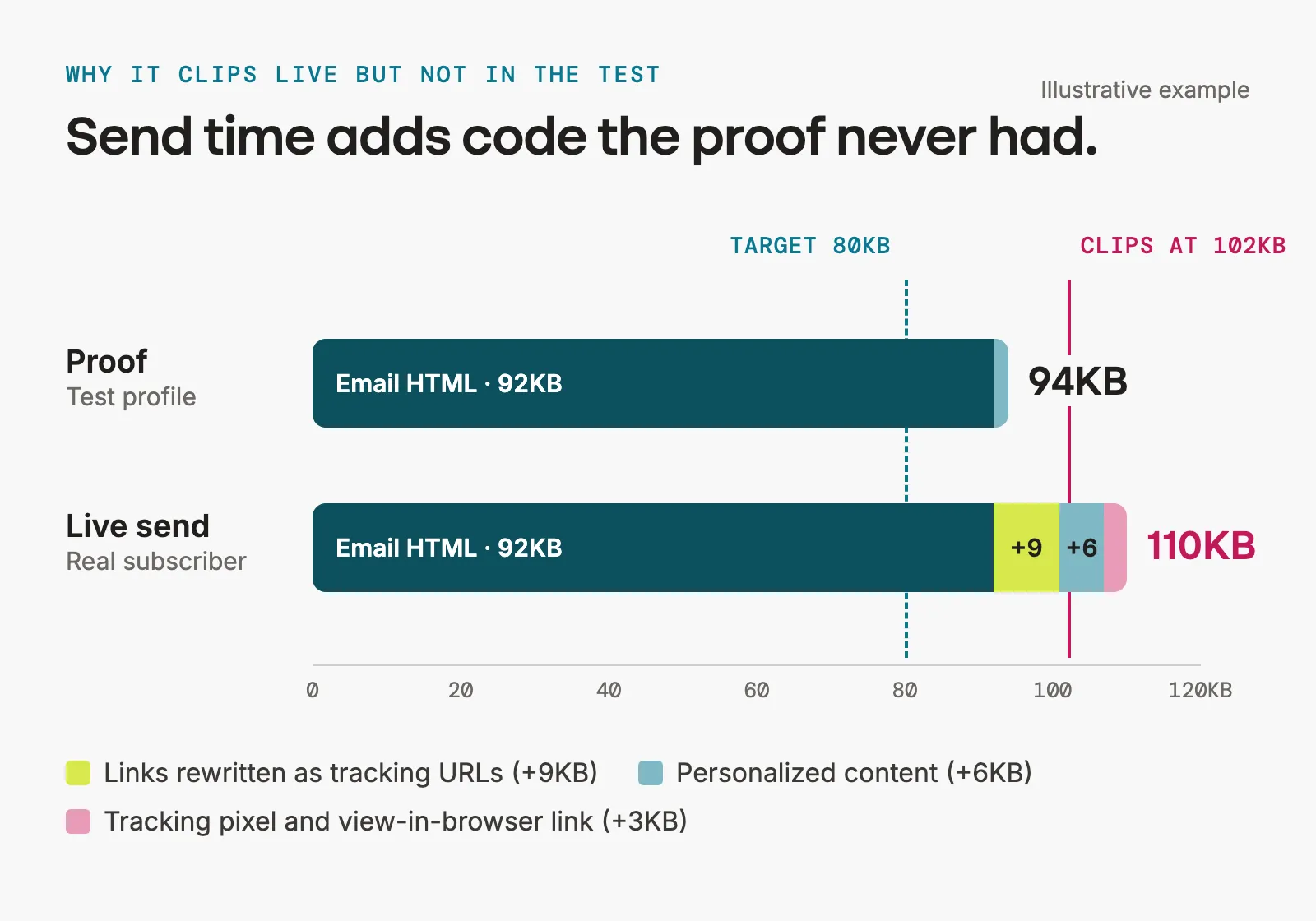
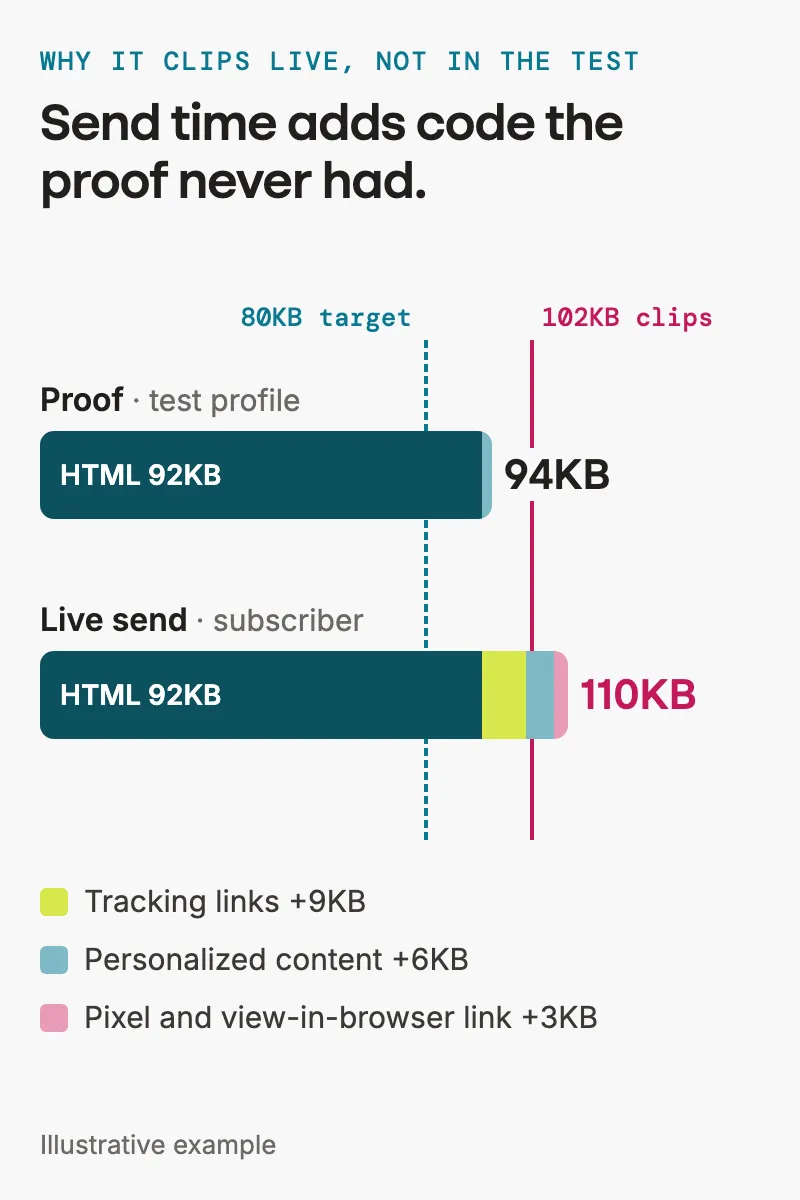
Because the live send is bigger than the proof. At send time your email platform rewrites every link into a longer tracking URL, adds the view-in-browser link and tracking pixel, and fills in personalized or dynamic content, which can be longer for a real subscriber than for a test profile. An email that sits just under the limit in a proof can pass it in the real send.
What makes email HTML so heavy?
- Nested and empty tables generated by drag-and-drop builders.
- The same inline CSS repeated on hundreds of elements.
- Outlook-specific conditional code duplicated for every column.
- Long link URLs with tracking and UTM parameters.
- Images embedded in the HTML instead of hosted.
- Comments and white space left in the code.
- Extra CSS for dark mode.
- Length: every additional module adds its own markup.
How do I check the size of an email?
Export the final HTML and look at the file size. Under 80KB before your email platform touches it is the target. Then send a live version, not a proof, to a Gmail address and scroll to the bottom to look for the clipped message link. To see what was really sent, open the message in Gmail, choose Show original and download it.
How do I stop Gmail from clipping my emails?
- Set a size budget. 80KB of HTML before send, so tracking code has headroom.
- Minify the HTML and CSS. Use a minifier made for email, so the conditional comments Outlook needs are kept.
- Remove unused CSS and repeated inline declarations.
- Flatten the layout. Merge nested tables and delete empty ones.
- Shorten links. Trim UTM parameters you do not use, and give repeated links the same URL.
- Cap dynamic content. Limit loops and personalized blocks so the longest version still fits.
- Host every image. Never embed images in the HTML.
- Encode the email as UTF-8. Special characters in an email that is not UTF-8 encoded can trigger clipping below the limit.
- If it is still too long, cut it. Send the summary and link to the full content on a landing page.
Clipping is a template problem, so fix it in the template. See how Stensul controls code weight.
Do other email clients clip emails?
Gmail is the one with a known threshold. Users report clipping in Yahoo Mail and Outlook too, but neither publishes a limit. An email that stays under 80KB is safe in every client with a reported limit.
How Stensul prevents Gmail clipping
Stensul handles code weight in the platform, so marketers do not have to trim emails by hand. The output generator merges redundant tables and strips empty ones before export. CSS can be minified and unused CSS removed on the way out. Modules are built once in your library with lean code, so every email assembled from them starts light. And the email’s file size is visible before it is approved, so a heavy email is caught in review, not in the inbox. Stensul then hands the email to the platform you send from (integrations).
Have an email that clips? Bring it to a demo, and Stensul will rebuild it and show you the size. Get a demo.
Gmail clipping FAQ
What is the exact Gmail clipping limit?
About 102KB of HTML. Google does not document it, and the cutoff varies slightly, so plan for 80KB.
Do images count toward the Gmail clipping limit?
No, as long as they are hosted and referenced by URL. An image embedded in the HTML does count, and it is large.
Does Gmail clipping hurt deliverability?
Not directly. Gmail does not filter an email for being clipped. The risk is indirect: a hidden unsubscribe link leads to spam complaints, and complaints do hurt inbox placement.
Does Gmail clipping affect open rates?
It can. If the tracking pixel sits at the end of the HTML and that part is clipped, the open is not recorded.
Why is my email clipped when it is short?
Short on screen can still be heavy in code. Nested tables, repeated inline CSS and long tracked links add weight the reader never sees. Special characters in an email that is not UTF-8 encoded can also cause it.
Does dark mode code cause Gmail clipping?
It adds to the total. Dark mode styles are extra CSS in every email, and on a long email that can be the difference. See the dark mode guide, or check your brand colors in dark mode.
Topics: Compliance

Make the move to agentic AI for email marketing.
We’ll show you how large enterprises are using Stensul to adapt their AI operating model, and ship more campaigns, with better results.
Request a demo